表单模板
项目的表单模板位于 templates.html 文件中。该文件位于项目的根目录中,可通过点击 任务(Task) 树上的 templates [F9] 来访问/修改。
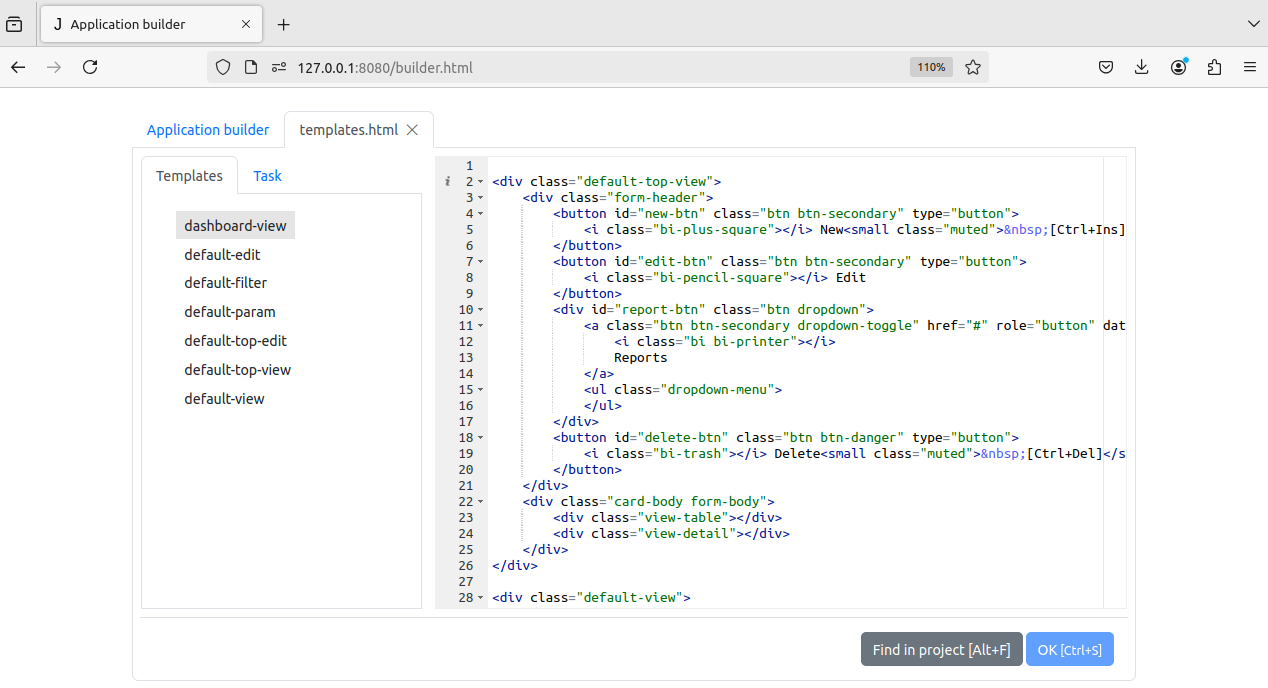
当执行 load 方法时,文件被处理并作为 JQuery 对象存储在 templates 的属性中。
要为实体项添加表单模板,您应该在 templates.html 中添加一个 class 为 name-suffix 的 div,其中 name 是实体项的
item_name
,而 suffix 是表单类型:view(查看)、edit(编辑)、filter(过滤)、param(参数)。
例如:
<div class="invoices-edit">
        ...
</div>
是 发票(invoices) 的编辑表单模板。
对于明细表,其名称前应加上其主表的名称,并用连字符分隔:
<div class="invoices-invoice_table-edit">
        ...
</div>
如果实体项没有表单模板,则将使用其所有者的表单模板(如果已定义)。
因此,模板
<div class="journals-edit">
        ...
</div>
将用于创建 业务台账(Journals) 组所拥有且没有自己的编辑表单模板的实体项的编辑表单。
如果通过这种方式搜索后,没有为实体项找到模板,则将使用 class 为 default-suffix 的模板来创建表单。
因此,模板
<div class="default-edit">
        ...
</div>
将用于为那些没有为其及其所有者定义模板的实体项创建编辑表单。
创建新项目时,index.html 已经包含此类模板。
下面是 index.html 文件中默认编辑表单模板的示例:
<div class="default-edit">
<div class="form-body">
<div class="edit-body"></div>
<div class="edit-detail"></div>
</div>
<div class="form-footer">
<button type="button" id="ok-btn" class="btn btn-primary">
<i class="bi bi-check-square"></i> OK<small class="muted"> [Ctrl+Enter]</small>
</button>
<button type="button" id="cancel-btn" class="btn btn-secondary">
<i class="bi bi-x-square"></i> Cancel
</button>
</div>
</div>
更多模板示例,请参阅 表单窗体示例 部分。